Why Most WordPress Plugins Look Broken Across Themes
One of the biggest surprises many WordPress plugin developers run into is this:
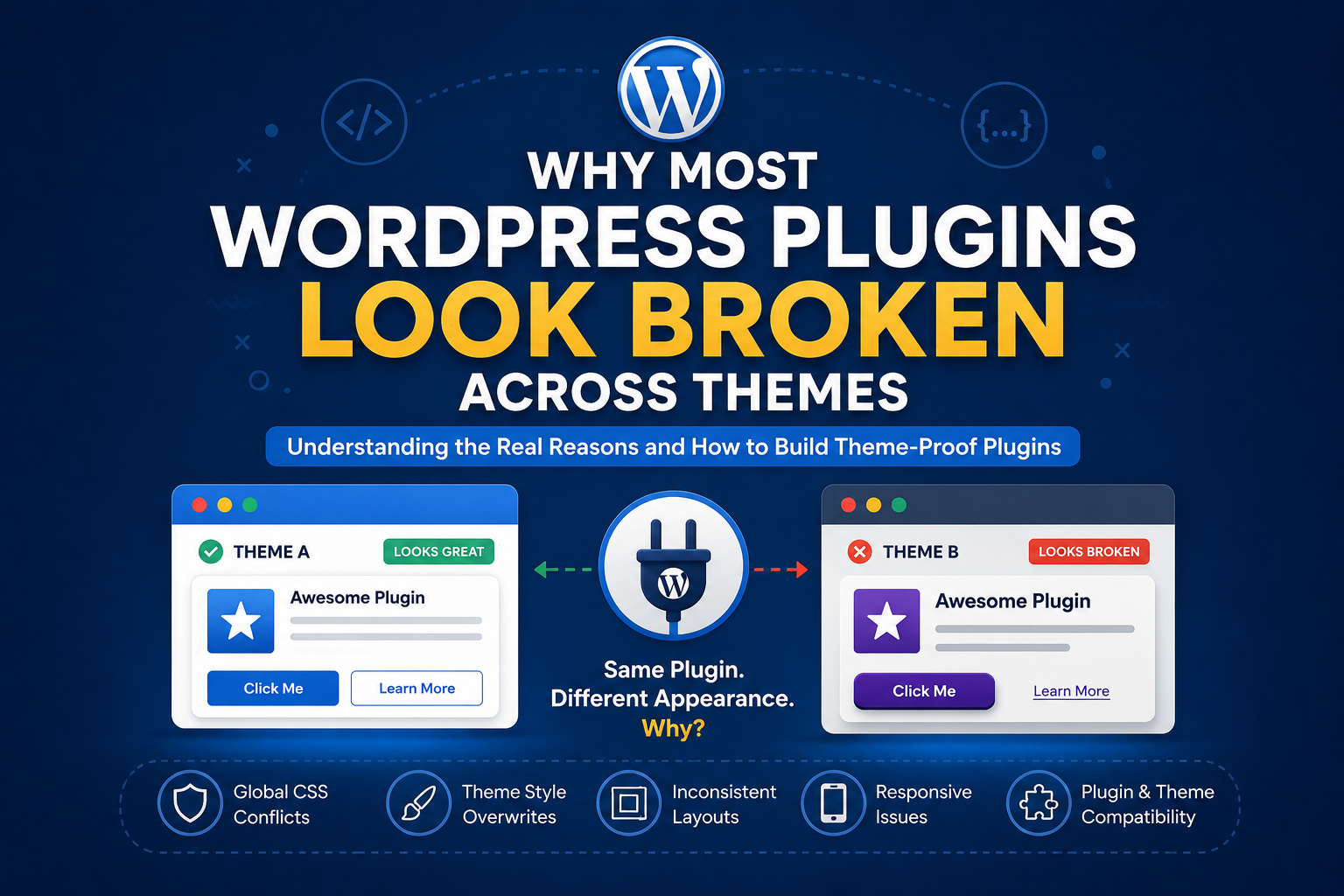
A plugin may look perfect on one website but completely broken on another.
Buttons suddenly change shape.
Fonts become inconsistent.
Spacing looks wrong.
Layouts collapse.
Colors become unreadable.
Icons become oversized.
Mobile views break unexpectedly.
At first, this can feel confusing or even frustrating. You test your plugin carefully, everything looks great during development, and then a user installs it on a different theme and the entire design changes.
The truth is, this is one of the most common challenges in WordPress development.
And the reason is surprisingly simple:
WordPress themes and plugins often influence each other visually.
WordPress Is a Shared Environment
Unlike standalone applications, WordPress plugins do not exist in isolation.
A plugin is injected into an environment that already contains:
-
theme CSS
-
theme typography
-
theme button styles
-
layout systems
-
responsive rules
-
color schemes
-
utility classes
-
JavaScript behaviors
-
page builders
-
additional plugins
Every website can have a completely different frontend environment.
This means your plugin is not entering a clean canvas. It is entering a shared ecosystem.
That is where many visual conflicts begin.
The Global CSS Problem
One of the biggest causes of broken plugin appearance is global CSS.
Many themes apply styles broadly using selectors like:
button
input
h1
h2
img
a
This means even if your plugin never intended to use the theme’s styles, it may inherit them automatically.
For example:
A theme may define:
button {
    border-radius: 50px;
    font-size: 18px;
    text-transform: uppercase;
}
Suddenly every button inside your plugin now inherits those styles.
The plugin developer may have designed small square buttons, but the active theme forces rounded oversized buttons instead.
This is why a plugin can look perfect on one site and broken on another.
Why Plugin Developers Struggle With Consistency
The difficult part is this:
WordPress developers are not designing for one website.
They are designing for thousands of possible environments.
Different users may have:
-
lightweight themes
-
page builders
-
WooCommerce styling
-
aggressive CSS frameworks
-
custom CSS
-
dark mode systems
-
mobile optimization plugins
-
performance plugins
The plugin must somehow survive inside all of those environments.
That is not easy.
Why Some Plugins Look More Professional Than Others
The most polished plugins usually do one important thing:
They isolate their styling.
Instead of relying on generic HTML styling, they create their own design system.
For example:
Instead of styling:
button
they use:
.scdev-button
Instead of:
.container
they use:
.scdev-container
This reduces the chance of theme conflicts.
Many professional plugins also:
-
namespace CSS classes
-
reset inherited styles
-
isolate layouts
-
use wrapper containers
-
avoid generic class names
-
create controlled UI systems
This is why larger plugins often appear more stable across themes.
The Theme Is Not Always Wrong
This is another important thing many developers eventually realize.
Sometimes the plugin is not badly coded.
Sometimes the theme is not badly coded either.
The problem is simply that both are making assumptions about the environment.
A theme may assume:
-
all buttons should look identical
-
all headings should follow a typography system
-
all images should behave responsively
Meanwhile the plugin may expect complete visual independence.
Those assumptions collide.
The Real Goal Is Compatibility, Not Perfection
One of the biggest mindset shifts in WordPress development is understanding this:
Perfect visual consistency across every theme is almost impossible.
The goal is not perfection.
The goal is resilience.
Good plugins are designed to:
-
remain usable
-
remain readable
-
maintain layout stability
-
adapt reasonably across environments
Even major plugins occasionally need theme-specific adjustments.
That is simply the nature of WordPress.
What Developers Can Do Better
There are several practices that dramatically improve plugin compatibility.
1. Namespace CSS Classes
Avoid generic names like:
.button
.card
.wrapper
.container
Use unique prefixes instead:
.scdev-button
.scdev-card
.scdev-wrapper
2. Use Wrapper Containers
Wrap plugin content inside a unique parent class.
Example:
<div class="scdev-plugin">
This allows styles to stay contained.
3. Avoid Styling Global Elements
Avoid targeting:
body
button
img
h1
a
unless absolutely necessary.
4. Test Across Multiple Themes
A plugin tested on only one theme is not truly tested.
Testing on:
-
lightweight themes
-
WooCommerce themes
-
page builder themes
-
dark themes
reveals many hidden issues early.
5. Build Flexible Layouts
Rigid layouts break more easily across themes and screen sizes.
Responsive design and flexible spacing systems improve survivability.
Final Thoughts
One of the biggest lessons in WordPress development is realizing that plugins do not live alone.
Every plugin enters a shared environment filled with unknown styles, rules, and behaviors.
That is why plugin design is not only about functionality. It is also about adaptability.
The developers who understand this early tend to build plugins that feel more polished, more stable, and more professional across a wide range of websites.
And honestly, once you understand how themes and plugins influence each other, many WordPress design problems suddenly start making sense.